In 2025, Philippine National Bank (PNB) continues to strengthen its position in the Philippine credit card market, offering a range of options suited for everyday spending, travel, and premium banking needs. As one of the country’s long-established universal banks, PNB combines financial stability with a broad suite of consumer banking services, including credit cards that feature rewards programs, installment options, and convenient payment facilities.
As of its latest available financial reports, PNB maintains a strong asset base and an extensive nationwide branch and ATM network, supporting millions of customers across the country. Its credit card offerings are designed to be practical and accessible, giving cardholders straightforward rewards, flexible payment terms, and easy integration with PNB’s digital banking channels.
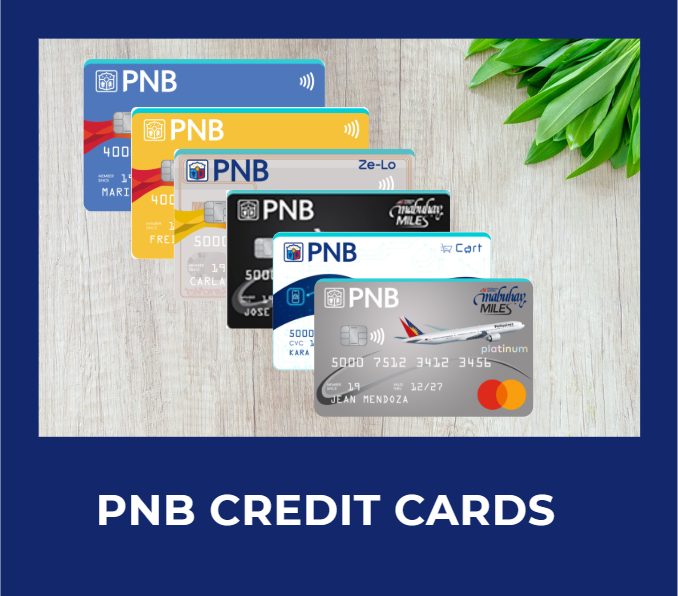
PNB Credit Cards Features, Annual Fees, and Minimum Income Requirements
Whether you’re looking for cashback, lifestyle rewards, or premium perks, PNB offers credit cards designed for different spending needs.
Let’s explore their features, benefits, and how to choose the right card for your lifestyle.
- PNB Credit Cards Features, Annual Fees, and Minimum Income Requirements
- PNB Credit Cards For Travel
- PNB Credit Cards For Rewards
- PNB Credit Card For Cashback
- PNB NAFFL Credit Cards
- PNB Credit Cards Comparison Table
- How to Choose the Right PNB Credit Card
- PNB Rewards Points Converter
- PNB Rewards to Cash Converter
- PNB Rewards to Mabuhay Miles Converter
- How to Apply for a PNB Credit Card
- Frequently Asked Questions (FAQs)
PNB Credit Cards For Travel
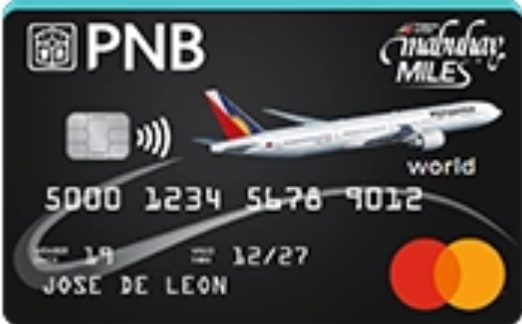
Benefits
- 1 Mabuhay Mile = ₱38 spend
- 2,000 Mabuhay Miles welcome gift
- Additional 10,000 Mabuhay Miles after spending 100k in a year
- Airport lounge access
- Priority check-in at PAL Business Class Counters (NAIA T1 & T2)
- Up to ₱250k purchase protection and fraud transaction insurance
- Up to ₱3M travel insurance
- 5% discount on select PAL international flights
- Exclusive year-round PAL online discount
- Dedicated Mastercard Travel & Lifestyle Services and Concierge
Eligibility
- Minimum Income: ₱2,400,000
- Annual Fee:
- Principal: ₱6,000
- Supplementary: NAFFL
- Forex Fee: 2.5%
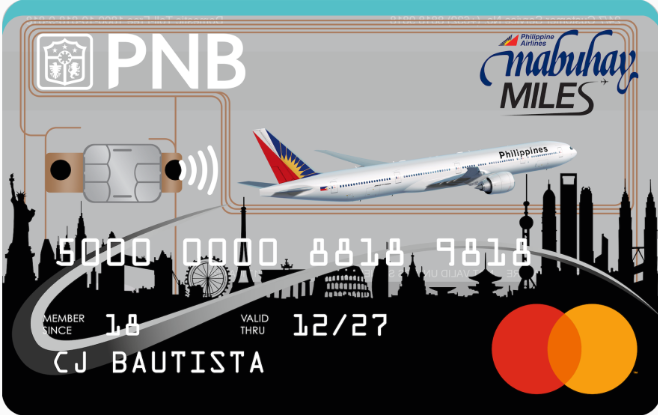
Benefits
- 1 Mabuhay Mile = ₱58 spend
- 1,000 Mabuhay Miles welcome gift
- Up to ₱250k purchase protection and fraud transaction insurance
- Up to ₱1M travel insurance
- 5% discount on select PAL international flights
- Exclusive year-round PAL online discount
Eligibility
- Minimum Income: ₱120,000
- Annual Fee:
- Principal: ₱1,000
- Supplementary: NAFFL
- Forex Fee: 2.5%
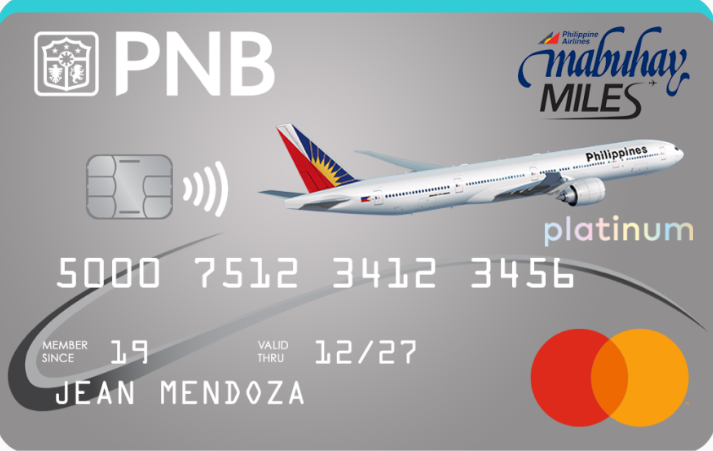
Benefits
- 1 Mabuhay Mile = ₱48 spend
- 2,000 Mabuhay Miles welcome gift
- Additional 10,000 Mabuhay Miles after spending 100k in a year
- Up to ₱250k purchase protection and fraud transaction insurance
- Up to ₱3M travel insurance
- 5% discount on select PAL international flights
- Exclusive year-round PAL online discount
Eligibility
- Minimum Income: ₱1,200,000
- Annual Fee:
- Principal: ₱3,000
- Supplementary: NAFFL
- Forex Fee: 2.5%
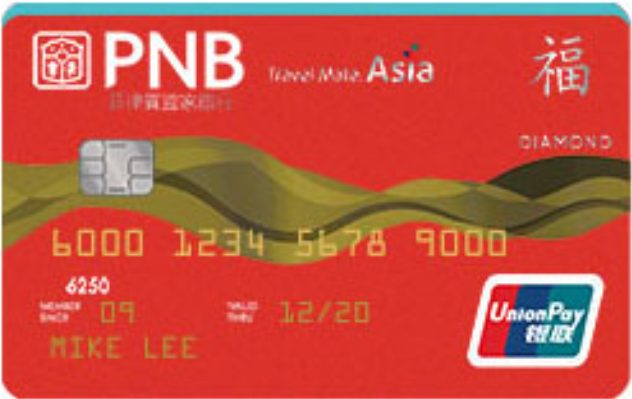
Benefits
- 1 rewards point = ₱70 spend
- Up to ₱10M free travel insurance
- Up to ₱250k purchase protection and fraud transaction insurance
- UnionPay exclusive discounts when shopping across Asia
Eligibility
- Minimum Income: ₱600,000
- Annual Fee:
- Principal: ₱3,000
- Supplementary: NAFFL
- Forex Fee: 2.5%
PNB Credit Cards For Rewards
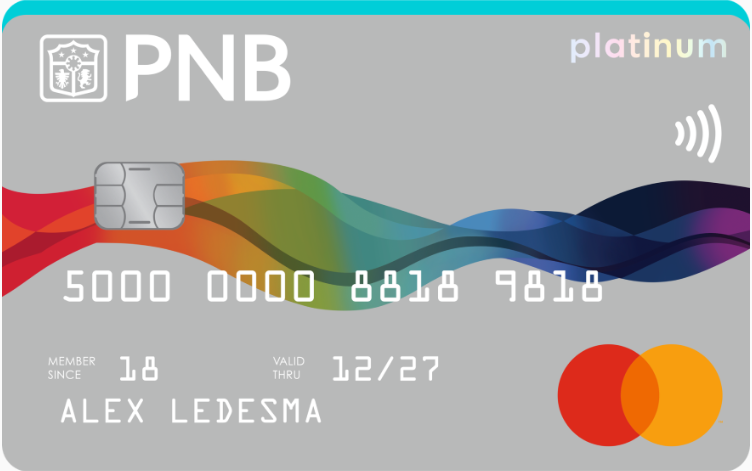
Benefits
- 1 rewards point = ₱70 spend
- Up to ₱3M free travel insurance
- Up to ₱250k purchase protection and fraud transaction insurance
Eligibility
- Minimum Income: ₱600,000
- Annual Fee:
- Principal: ₱3,000
- Supplementary: NAFFL
- Forex Fee: 2.5%
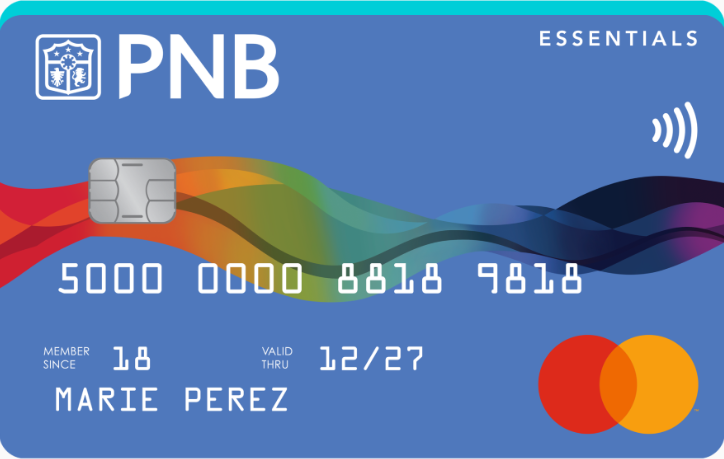
Benefits
- 1 rewards point = ₱70 spend
- Up to ₱1M free travel insurance
- Up to ₱250k purchase protection and fraud transaction insurance
Eligibility
- Minimum Income: ₱120,000
- Annual Fee:
- Principal: ₱1,200
- Supplementary: NAFFL
- Forex Fee: 2.5%
PNB Credit Card For Cashback
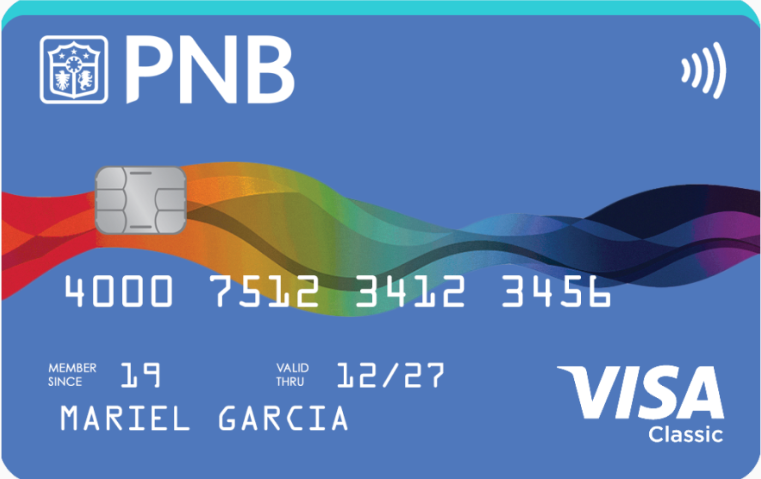
Benefits
- Up to 8% cashback year round on selected categories
- Up to ₱15,000 cashback per year
- Up to ₱3M free travel insurance
- Up to ₱250k fraud transaction insurance
- Up to $200 e-comerce purchase protection
- Access to Mastercard Travel & Lifestyle Services and Priceless Specials Program
Eligibility
- Minimum Income: ₱120,000
- Annual Fee:
- Principal: ₱2,500
- Supplementary: NAFFL
- Forex Fee: 2.5%
Benefits
- 1% cashback on paid interest
- Low annual fee
- Up to ₱1M free travel insurance
- Up to ₱250k purchase protection and fraud transaction insurance
Eligibility
- Minimum Income: ₱120,000
- Annual Fee:
- Principal: ₱300
- Supplementary: NAFFL
- Forex Fee: 2.5%
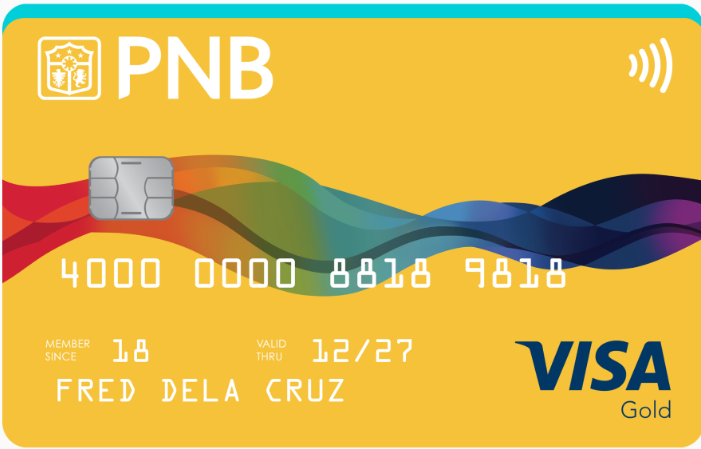
Benefits
- 1% cashback on paid interest
- Low annual fee
- Up to ₱1M free travel insurance
- Up to ₱250k purchase protection and fraud transaction insurance
Eligibility
- Minimum Income: ₱600,000
- Annual Fee:
- Principal: ₱600
- Supplementary: NAFFL
- Forex Fee: 2.5%
PNB NAFFL Credit Cards
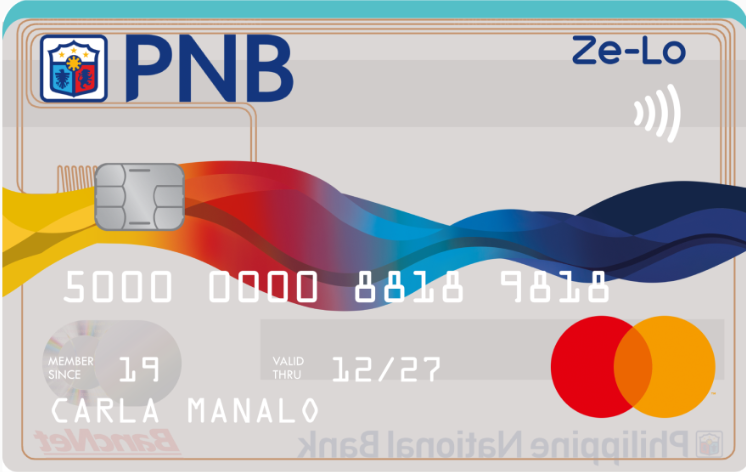
Benefits
- No annual fee for life
- Zero late payment fees and overlimit fees
- Lower finance charge and minimum amount due
Eligibility
- Minimum Income: ₱120,000
- Annual Fee:
- Principal: NAFFL
- Supplementary: NAFFL
- Forex Fee: 2.5%
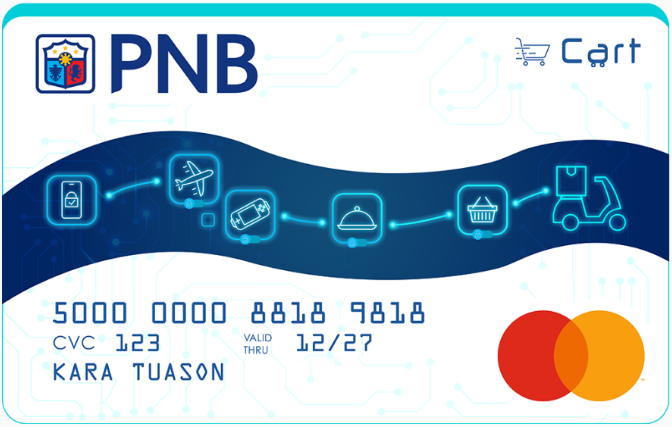
Benefits
- No annual fee for life
- Instant virtual credit card
- Up to ₱1M free travel insurance
- Up to ₱250k purchase protection and fraud transaction insurance
- Enjoy exclusive PNB Cart Mastercard promos
Eligibility
- Minimum Income: ₱120,000
- Annual Fee:
- Principal: NAFFL
- Supplementary: NAFFL
- Forex Fee: 2.5%
Still undecided? You can also explore our interactive comparison table where you can filter PNB cards by features, like travel insurance, rewards, or premium perks.
Looking for a card with travel benefits or outright installment offers? Just use the dropdown filters to quickly find what fits your needs.
PNB Credit Cards Comparison Table
| Credit Card | Rewards | Cashback | Lounge Access | Travel Insurance | Annual Fee | 1st Supplementary | Forex Fee |
|---|---|---|---|---|---|---|---|
| PNB Ze-Lo Mastercard | ❌ | ❌ | ❌ | ❌ | NAFFL | NAFFL | 2.50% |
| PNB Card Mastercard | ❌ | ❌ | ❌ | ✅ | NAFFL | NAFFL | 2.50% |
| PNB Visa Classic | ❌ | ✅ | ❌ | ✅ | ₱300/year | NAFFL | 2.50% |
| PNB Visa Gold | ❌ | ✅ | ❌ | ✅ | ₱600/year | NAFFL | 2.50% |
| PNB Cashback Titanium | ❌ | ✅ | ❌ | ✅ | ₱2,500/year | NAFFL | 2.50% |
| PNB Essentials Mastercard | ✅ | ❌ | ❌ | ✅ | ₱1,200/year | NAFFL | 2.50% |
| PNB Platinum Mastercard | ✅ | ❌ | ❌ | ✅ | ₱3,000/year | NAFFL | 2.50% |
| PNB Diamond UnionPay | ✅ | ❌ | ❌ | ✅ | ₱3,000/year | NAFFL | 2.50% |
| PNB-PAL Mabuhay Miles NOW | ✅ | ❌ | ❌ | ✅ | ₱1,000/year | NAFFL | 2.50% |
| PNB-PAL Mabuhay Miles Platinum | ✅ | ❌ | ❌ | ✅ | ₱3,000/year | NAFFL | 2.50% |
| PNB-PAL Mabuhay Miles World | ✅ | ❌ | ✅ | ✅ | ₱6,000/year | NAFFL | 2.50% |
How to Choose the Right PNB Credit Card
Selecting the ideal credit card depends on your spending habits and financial goals.
- For Cashback: If you want savings on everyday expenses, the PNB Cashback Titanium is is a good option designed for frequent spenders.
- For Rewards: If you prefer earning points, cards like the PNB Essentials Mastercard or PNB Platinum Mastercard let you accumulate rewards on your purchases.
- For Travel: Frequent flyers should consider the PNB-PAL Mabuhay Miles cards, which help you earn miles for flights. The World variant also includes lounge access for a more premium travel experience.
- For No Annual Fee: If you want to avoid annual fees altogether, the PNB Ze-Lo Mastercard and PNB Card Mastercard both offer NAFFL, making them practical for long-term use.
- For Beginners: First-time users may find the PNB Ze-Lo Mastercard a simple starting point, especially with no annual fee and basic features.
PNB Rewards Points Converter
Ever wondered how much your PNB credit card rewards points are really worth? Our Rewards Converter makes it easy to see their real value in seconds.
For example, if you’re earning points from your PNB card and planning to redeem them for a PAL Mabuhay flight, you don’t have to guess the conversion anymore. Just enter your points into the converter and instantly see how much value you’re getting, so you can decide whether to redeem now or keep earning more.
PNB Rewards to Cash Converter
Redemption is in blocks of 500.
PNB Rewards to Mabuhay Miles Converter
Redemption is in blocks of 2,000 Mabuhay Miles.
How to Apply for a PNB Credit Card
Applying for a PNB credit card is an easy process that you can finish completely online. To start, click on the application link for your preferred card and fill out the required details. Make sure to input an active email address because PNB will be sending the form link via email.
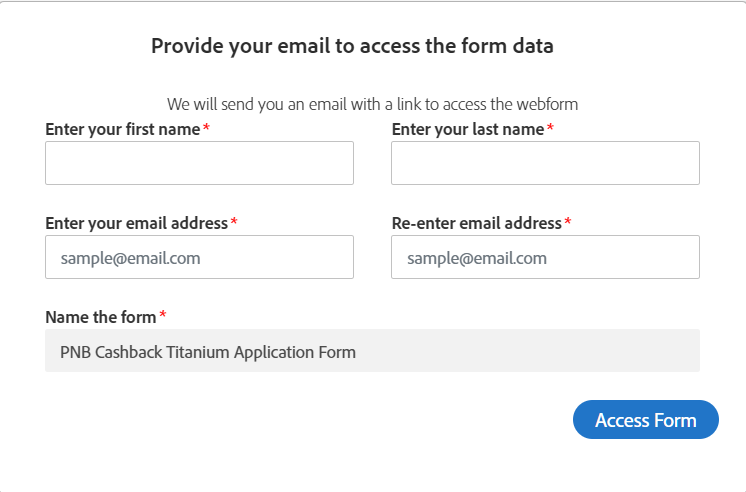
After clicking the Access Form button, wait for an Adobe Sign email to come through. Open the email and click the Review and Sign button. You will then be taken to the credit card application form. Fill out the required details.
Depending on your employment status and nationality, the form will inform you what documents you need to upload.
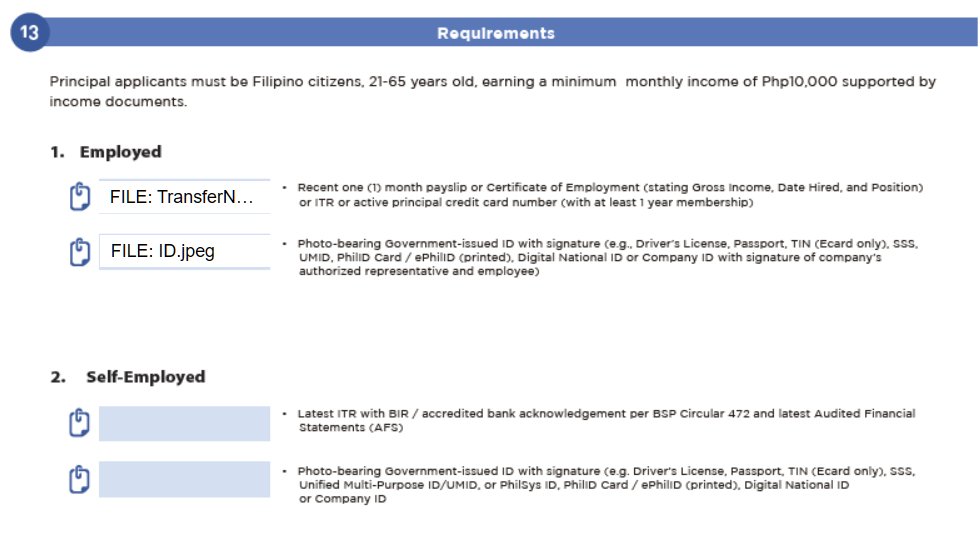
Employed
- Recent one-month payslip
- Certificate of Employment stating your gross income, date hired, and position.
- Income tax return
- Active principal credit card number (at least one year old)
Self-Employed
- Lates ITR with BIR stamp
- Latest Audited Financial Statement (AFS)
Regardless of your employment, you need to submit any of the following valid IDs
Accepted Valid IDs
- Passport
- Driver’s License
- Company ID
- Voter’s ID
- TIN ID
- SSS ID
- Postal ID
- Philippine Regulation Commission (PRC)
- Student ID issued and signed by the principal or head of the school for the current school year
- Other government-issued ID
Non-Filipino Citizen
- Passport
- Alien Certificate of Residence (ACR)
- National ID
- Internal Revenue Service (IRS) ID
- Social Security Number (SSN) ID
- Driver’s License
- Work Permit Issued by DOLE
- Company ID
- Unexpired Philippine Retirement Authority ID (PRA) or Special Resident Retiree’s Visa (SRRV)
- Bureau of Immigration Approved Order
- Certificate of Deposit issued by the bank where the PRA/Visa is deposited
Preparing these documents ahead of time can make your application process faster and smoother.
Frequently Asked Questions (FAQs)
1. How do I redeem PNB Rewards Points?
You can redeem your PNB Rewards Points through the following official channels:
- Via phone (fastest option)
- Call the PNB Cards 24/7 Customer Service Hotline at:
- (+632) 8818 9818
- 1800 10 818 9818 (domestic toll-free)
- Call the PNB Cards 24/7 Customer Service Hotline at:
- Via email or mail
- Fill out the Rewards Redemption Form, then send it through:
- Email: PNBCreditCards@pnb.com.ph
- Mail: Cards Banking Solutions Group, 8F PNB Financial Center, Pres. Diosdado Macapagal Blvd., Pasay City, Metro Manila 1300
- Fill out the Rewards Redemption Form, then send it through:
2. Do PNB Rewards Points expire?
No, PNB Rewards Points do not expire as long as the account is kept active and in good standing.
3. Is there a minimum income requirement to apply for a PNB credit card?
Yes, each card has its own income requirement listed in the individual card information above. The income requirement for PNB credit cards ranges from ₱120,000 to ₱2,400,000.
4. How long does the application process take?
Online applications typically take 15-21 days to process. If documents are complete and you meet the eligibility criteria, approval may be faster. You’ll be notified via SMS or email once your card is approved and dispatched.
5. How to lock/unlock your PNB credit card?
You can lock or unlock your PNB credit card depending on how it is enrolled in PNB’s digital services:
1. Via PNB Digital Banking (if available for your card)
If your credit card is linked in the PNB Digital Banking app, you may be able to use the card control or security feature to temporarily lock or unlock your card. This is useful if you want to pause transactions for safety and then reactivate it later.
2. Via PNB Cards Customer Service Hotline
You can also request card blocking or reactivation by contacting:
- (+632) 8818 9818
- 1800 10 818 9818 (domestic toll-free)
3. For urgent concerns (lost or compromised card)
It’s best to immediately request a temporary or permanent block through the hotline so unauthorized transactions are prevented.
6. Can I request a supplementary card?
Yes! You may apply for up to 9 NAFFL supplementary cards and set spending limits for each card to control usage and monitor expenses. Apply by filling out the Cardholder Request Form and submitting it to PNBCreditCards@pnb.com.ph.
7. How do I track my PNB credit card delivery?
PNB does not provide a tracking number or disclose the courier used for credit card deliveries.
If you want to check the status of your card delivery, the best option is to contact PNB directly through their 24/7 Cards Customer Service Hotline at (+632) 8818 9818 or 1800 10 818 9818 (domestic toll-free).
They can check the latest update on your application and advise if your card has already been dispatched or is still being processed.
8. How do I activate my PNB credit card?
You can activate your PNB credit card by:
- Texting PNB <space> ACTIVATE <space> 16-digital Credit Card number and send to 22566808
Example: PNB ACTIVATE 1234567812345678 - Calling PNB Cards 24/7 Customer Service Hotline at (+632) 8818 9818 or DTF 1800 10 818 9818
Once enrolled and verified, your card is activated and ready to use.
9. What is PNB Convert-to-Cash (C2C) Program?
The PNB Convert-to-Cash (C2C) Program allows eligible PNB credit cardholders to convert a portion of their available credit limit into cash.
Instead of using your credit card directly for purchases, you can request to withdraw cash from your credit limit, which is then repaid in fixed monthly installments based on the terms offered by PNB.
This option is useful if you need funds for personal expenses like emergencies, bills, or planned purchases, while spreading repayment over time instead of paying it in full on your next statement.
Availability, approved amount, and applicable fees or interest depend on your credit card account and PNB’s current program terms. To apply, fill out the Convert-to-Cash Request Form and email to PNBCreditCards@pnb.com.ph.
10. Where can I pay my PNB credit card bill?
You can pay your PNB credit card bill through several convenient channels:
PNB channels
- PNB branches and ATMs
- PNB Digital App
- Automatic Debit Arrangement (ADA) from your PNB savings or checking account
Other banks and payment partners
- ATMs of participating BancNet members
- BDO branches
- Mobile and internet banking of participating
- BancNet members (e.g., BDO, GCash) BancNet Online
Payment centers
- SM Bills Payment Centers
- Savemore branches nationwide
- Overseas PNB branches and remittance centers
Payments made through PNB channels are usually posted within 1–2 banking days, while payments via other banks take around 2–4 banking days to reflect. Check payments require an additional 3 banking days due to clearing.
Explore Credit Cards By Bank