In 2026, Maya continues to expand its footprint in the Philippine financial landscape, offering digital-first credit solutions tailored for today’s tech-savvy consumers. Known for transforming from a mobile wallet into a full-fledged digital bank, Maya has built a strong reputation for innovation, convenience, and seamless app-based money management.
With features integrated directly into the Maya app, its credit offerings are designed for users who value speed, flexibility, and full control over their finances. From everyday spending support to rewards-driven benefits and data-powered credit limits, Maya’s ecosystem is built to complement the fast-paced, cashless lifestyle of modern Filipinos.
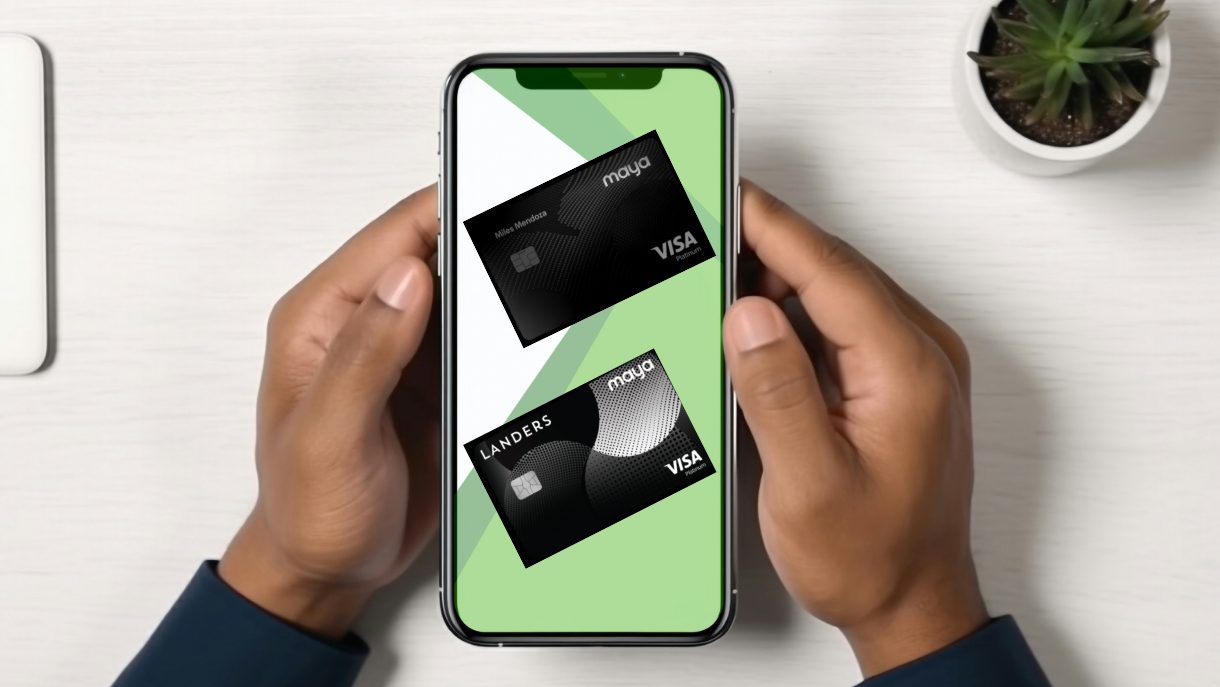
Maya Credit Cards Features, Annual Fees, and Minimum Income Requirements
If you’re looking for convenient digital credit, flexible repayment options, rewards on everyday spending, or exclusive in-app perks, Maya offers credit solutions designed to fit your lifestyle and financial goals.
Let’s explore the key features, benefits, and important details to help you decide if a Maya credit product is the right fit for your needs in 2026.
Maya Credit Cards
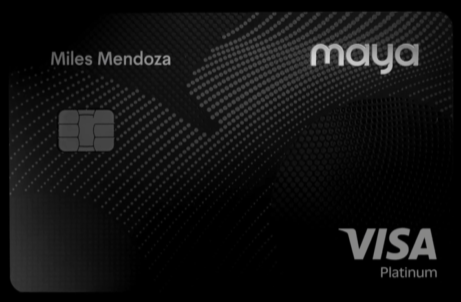
Benefits
- No annual fee for life (NAFFL)
- Earn Maya Miles everywhere
- Maya Miles are credited instantly
- Free int’l airport lounge access using Dragonpass (1x per quarter)
Eligibility
- Annual Fee:
- Principal: NAFFL
- Forex Fee: 2%
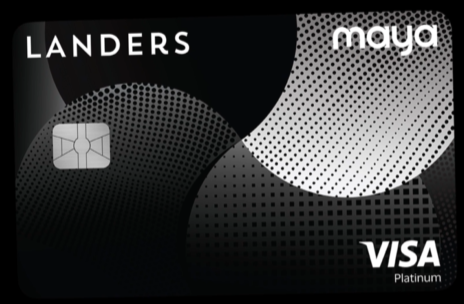
Benefits
- Earn 5% cashback at Landers (50k min.)
- Earn 4% cashback at Landers (20k min)
- 3% cashback at landers (no minimum)
- 2% cashback on dining
- 1% cashback everywhere
- Enjoy Exclusive Visa rewards
Eligibility
- Annual Fee:
- Principal: Tied to Landers membership
- Forex Fee: 2%
Still undecided? You can also refer to our comparison table featuring Maya’s two credit cards, where you can quickly see how they differ in terms of rewards structure, fees, credit limits, and key perks.
Since Maya currently offers only two card options, choosing is more straightforward. Simply review the side-by-side features to determine which card aligns better with your spending habits, whether you prioritize everyday rewards, lower fees, or app-integrated convenience within the Maya ecosystem.
Maya Credit Cards Comparison Table
| Credit Card | Rewards | Cashback | Lounge Access | Travel Insurance | Annual Fee | 1st Supplementary | Forex Fee |
|---|---|---|---|---|---|---|---|
| Maya Black | ✅ | ❌ | ✅ | ❌ | NAFFL | Not Applicable | 2% |
| Maya Landers Cashback Everywhere | ❌ | ✅ | ❌ | ❌ | Tied to Landers Membership | Not Applicable | 2% |
How to Pick the Right Maya Credit Card
With only two credit cards in its lineup, choosing the right Maya card is simple once you consider your spending habits and financial priorities.
- For Rewards: If you enjoy earning points for everyday purchases and want premium perks, the Maya Black Card is the better fit. It offers redeemable rewards and even includes complimentary lounge access for occasional travelers.
- For Cashback: If you prefer straightforward rebates on your spending, the Maya Landers Cashback Everywhere Card is ideal. It’s designed for everyday purchases and ties into Landers membership benefits, making it a practical choice for frequent shoppers.
- For Travel: While both cards have the same forex fee, only Maya Black offers airport lounge access once every quarter. This is a convenient feature for frequent travelers.
- For Simplicity or NAFFL Seekers: Both cards offer clear, easy-to-understand terms, but the Maya Black Card comes with No Annual Fee for Life (NAFFL), which is great for those who want premium features without worrying about yearly charges.
How to Apply for a Maya Credit Card
Applying for a Maya credit card online is a convenient process that typically takes a few minutes. You can complete the entire process online using Maya mobile app.
- Open your Maya app. Go to the Cards tab and click your desired credit card.
- Enter your Landers membership number if you are applying for Maya Landers Cashback Everywhere.
- Choose your desired name to appear on your card.
- Choose your desired billing date. This is a cool feature not available to other banks or credit cards.
- Submit your application and wait for the results.
Maya-Accepted Proof of Identity
The credit card application itself won’t ask for an ID. However, to proceed with the application, you must have an upgraded Maya account first, which requires you to submit 1 primary ID or 2 secondary IDs.
- Philippine National Identity Card
- ePhilID
- SSS ID (digitized with photo)
- PRC ID
- Postal ID (issued 2015 onwards)
- Passport
- Driver’s License
- UMID
If you don’t have these primary IDs, you can try submitting any two of the secondary IDs below. Acceptance is subject to individual branch policy.
- PhilHealth ID
- TIN ID
Frequently Asked Questions (FAQs)
1. How do I redeem Maya Miles?
As of Q1 2026, redeeming Maya Miles online in exchange for rewards or air miles is still unavailable. However, you can use your points to pay for your next transaction if the merchant’s terminal accepts Maya payments. Simply inform the merchant that you will be paying using Maya Miles.
2. How do I redeem Landers cashback?
You can redeem your Landers Cashback Everywhere Card points directly at any Landers Superstore. At checkout, simply tell the cashier you want to use your cashback points, then tap your card on the Maya Terminal. You can choose to apply all or part of your points toward the purchase, with any remaining balance automatically charged to your credit card.
3. Is there a minimum income requirement to apply for a Maya credit card?
There is no fixed minimum income requirement to apply for a Maya credit card. Instead, eligibility could be based on your savings and transaction history with Maya, as well as your credit score. This means Maya evaluates your financial behavior and account activity to determine your suitability for a credit card rather than relying solely on a set income threshold.
4. How long does the application process take?
The application process for a Maya credit card is usually fast and digital. Once you submit your application through the Maya app, it can take just a few minutes to a few business days for approval, depending on your account history, verification requirements, and credit assessment. After approval, your card can be activated and ready for use almost immediately.
5. How to lock/unlock your Maya credit card?
To lock or unlock your Maya credit card, use the Freeze feature in the Maya app. Open the app, go to the Cards tab, select the card you want to manage, and tap the Freeze (snowflake) icon. You can toggle this on to temporarily lock your card or off to reactivate it instantly.
6. Can I request a supplementary card?
No, Maya currently does not offer supplementary cards. Cardholders can only use their primary Maya credit card for transactions at this time.
7. How do I track my Maya credit card delivery?
Once your Maya credit card application is approved, your physical card will be sent to the address you provided. Delivery usually takes up to 4 business days within Metro Manila and up to 10 business days for other areas.
While waiting, you can start using your card immediately by accessing your virtual card details in the Maya app. Just open Cards and select your approved credit card.
8. How do I activate my Maya credit card?
To activate your Maya credit card, open the Maya app and go to the Cards tab. Select your card and tap Activate Card, then enter the Card ID found at the back of your card. Next, create a 6-digit PIN, confirm it, and your card will be ready for use.
9. Where can I pay my Maya credit card bill?
You can pay your Maya credit card bill directly through the Maya app. Go to the Cards tab, tap Pay Now, confirm or edit the amount you want to pay, select your source of funds, and proceed to complete the payment.
Explore Credit Cards By Bank