If you have a Visa card from China Bank, EastWest, GoTyme, Maya, PalawanPay, or RCBC, you can earn up to ₱1,500 cashback just by paying with Google Pay instead of your physical card. You need to enroll on the Visa website, add your card to Google Wallet, and reach a cumulative spend of ₱3,000 using Google Pay between September 8 and September 30, 2026. That is the short version. Below, you’ll find the full eligibility list, a step-by-step enrollment walkthrough, how long the cashback actually takes to land (based on real cardholder reports), and which merchants worked and which ones didn’t.
Table of Contents
- What Is the Visa x Google Pay Cashback Promo?
- Who Can Join? Eligible Banks and Cards
- How to Enroll and Claim the Cashback (Step by Step)
- How Much Can You Actually Earn?
- When Will You Receive Your Cashback?
- Merchants That Worked vs. Merchants That Didn’t (Real User Reports)
- Common Mistakes That Cost People Their Cashback
- Frequently Asked Questions
- Final Thoughts
What Is the Visa x Google Pay Cashback Promo?
This is a joint promotion between Visa and Google Pay that rewards cardholders for using tap-to-pay through Google Wallet instead of their physical card. The mechanics are simple: link an eligible Visa card to Google Wallet, enroll in the campaign on Visa’s website, then spend a cumulative ₱3,000 or more using Google Pay during the promo period. Once you hit that threshold, ₱1,500 cashback gets credited back to the same card account.
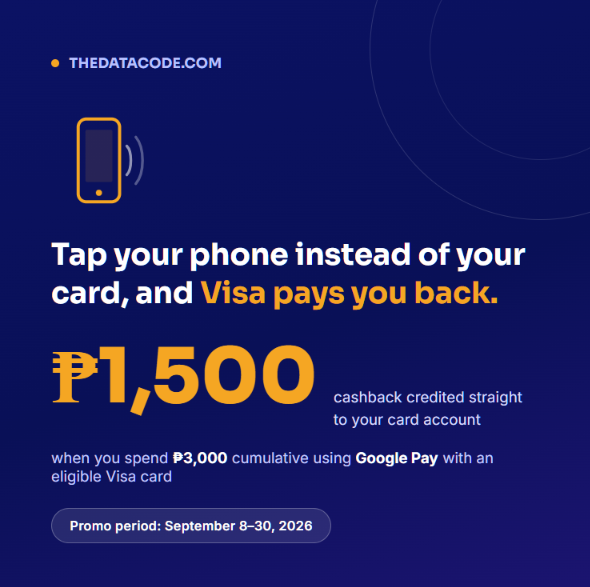
The promo runs from 00:00 PHT on September 8, 2026 to 23:59 PHT on September 30, 2026. Transactions made outside this window, or before you successfully enroll, will not count.
A few things worth understanding upfront:
- The ₱3,000 requirement is cumulative, not a single transaction. Several smaller purchases that add up to ₱3,000 or more will qualify.
- Only transactions made through Google Pay/Google Wallet count. Tapping with your physical plastic card, even at the same terminal, will not be counted toward the promo.
- Both in-store (tap-to-pay) and online transactions are eligible, and this includes overseas purchases.
- The maximum cashback per card, per participating bank, is ₱1,500 for this campaign period.
Who Can Join? Eligible Banks and Cards
Not every Visa card in the Philippines qualifies. The promo is limited to cards from these participating issuers:
| Bank / Issuer | Card Type Covered |
|---|---|
| China Banking Corporation (China Bank) | Credit and debit |
| EastWest Banking Corporation | Credit cards only |
| GoTyme Bank Corporation | Debit cards only |
| Maya Bank, Inc. / Maya Philippines, Inc. | Credit, debit, and virtual cards |
| PalawanPay | Physical and virtual Visa cards |
| Rizal Commercial Banking Corporation (RCBC) | Credit cards |
Eligible card tiers include Visa Classic, Gold, Platinum, Signature, Infinite, Infinite Privilege, Infinite Private, Business, Corporate, Purchasing, Rewards Business, Platinum Business, Signature Business, and Infinite Business. You’ll also need an NFC-capable Android phone with Google Wallet installed. iPhone users are not able to join this specific promo, since Apple Pay has not officially launched in the Philippines yet.
How to Enroll and Claim the Cashback (Step by Step)
- Register or log in at my.visa.com and create an account if you don’t have one yet.
- Add your eligible Visa card to your Visa account.
- Enroll in the “Google Pay Cashback Campaign.” If it doesn’t show on the main page, check under My Benefits → Google Pay. You need to click the Enroll button in the Visa website to make sure your spendings are recorded.
- Download Google Wallet (if you don’t have it yet) and add the same card you enrolled.
- Turn on NFC on your phone, then use Google Pay to tap-to-pay at any merchant with a contactless terminal, or select Google Pay at checkout for supported online purchases.
- Track your enrollment status. On the Visa campaign page, a button reading “Enrolled” confirms you’re in. If it says “Enroll Now,” you still need to click it. Some cardholders have found this status easier to check by switching their mobile browser to Desktop View.
Enroll each eligible card separately if you’re using more than one, since the ₱1,500 cap applies per card, per issuer, not per person.
How Much Can You Actually Earn?
In simple terms, one enrolled card that reaches ₱3,000 in cumulative Google Pay spend earns ₱1,500 back, a straightforward 50% return on your qualifying spend. Since the cap is per card per issuer, cardholders who enroll multiple eligible cards from different banks can stack multiple ₱1,500 rewards.
Based on cardholders who shared their results online, here’s a realistic example of how the totals can add up when several cards are enrolled:
| Card | Cashback Earned |
|---|---|
| EastWest Visa (Credit) | ₱1,500 |
| GoTyme Bank Physical Visa | ₱1,500 |
| Maya Black Visa Platinum | ₱1,500 |
| Maya Visa Virtual Card | ₱1,500 |
| PalawanPay Visa Card | ₱1,500 |
One important catch: if you already used up your enrollment slot during an earlier Visa x Google Pay campaign that ran from August 1 to September 3, 2026, some cardholders reported receiving ₱0 cashback on the new promo, since that earlier enrollment had already expired or was not automatically renewed. If your card shows ₱0 despite hitting ₱3,000 in spend, check your enrollment status directly on the Visa site rather than assuming it carried over.
When Will You Receive Your Cashback?
Officially, Visa states cashback is credited up to 30 days after your qualifying transaction settles through VisaNet. In practice, most cardholders who shared their experience received it much faster, though timing varied noticeably by issuer:
| Card | Reported Crediting Time |
|---|---|
| GoTyme Bank Physical Visa | Real-time to same day |
| Maya Visa Virtual Card | Around 6-9 hours, sometimes next day |
| Maya Black Visa Platinum / Debit | Roughly 24-28 hours (about a day) |
| PalawanPay Visa (physical or virtual) | About 36-48 hours (1-2 days) |
| EastWest Visa Credit | Around 1 day, sometimes shows as pending first |
Treat these as informal, self-reported ranges rather than guarantees. Your own timeline can vary depending on your issuer’s processing schedule and how quickly the merchant’s terminal sends transaction data to VisaNet.
Merchants That Worked vs. Merchants That Didn’t (Real User Reports)
The official terms say the promo applies to any merchant that accepts Google Pay tap-to-pay, plus e-commerce merchants offering Google Pay at checkout, with no official merchant exclusion list published. That said, cardholders who tracked their own spending shared specific places where transactions successfully counted toward the ₱3,000 threshold.
Merchants confirmed to work
| Category | Merchants Reported |
|---|---|
| Fuel stations | Shell, Unioil, Global Oil |
| Fast food and dining | Jollibee, McDonald’s, Dunkin’, Krapow, Starbucks, Pan de Manila, Pickup Coffee, Hizon’s |
| Retail and groceries | Waltermart |
| Healthcare/services | Villarreal Dental Clinic |
| Online/travel bookings | Agoda and Airbnb, by selecting Google Pay as the payment option at checkout |
The general takeaway from these reports: any physical terminal that supports tap-to-pay tends to work, regardless of merchant size, and this includes small local shops with modern payment terminals, not just big chains.
Where cardholders ran into problems
- GoTyme virtual card: One cardholder specifically noted their GoTyme virtual card was not accepted for tap-to-pay, while the physical GoTyme card worked fine and even credited in real time. If you’re using GoTyme, prioritize the physical card added to Google Wallet.
- Tapping with the physical plastic card: This is not a merchant problem, but a common point of confusion. Even at a merchant that supports Google Pay, tapping your actual card (instead of your phone through Google Wallet) does not count toward the promo.
- New or unfamiliar terminals: Visa’s own terms flag that payments at brand-new stores, new Visa merchants, or new terminals may see delayed or inaccurate transaction data being sent to VisaNet, which can hold up your cashback even if the purchase itself succeeded.
- Wallets already enrolled in the earlier Aug 1 to Sept 3, 2026 promo: As mentioned above, this led to ₱0 cashback for some users on the new campaign, since that prior enrollment had already lapsed.
No merchant category (like ride-hailing, food delivery, or e-wallet top-ups) was specifically confirmed as excluded in the shared reports, but Visa’s terms do exclude any transaction made through a non-Visa payment method, and any spend where the underlying goods or services fall outside cashback eligibility per your card issuer’s terms.
Common Mistakes That Cost People Their Cashback
- Forgetting to click “Enroll Now” on each card. Adding a card to Google Wallet is not the same as enrolling it in the cashback campaign on my.visa.com. Both steps are required.
- Assuming a previous enrollment automatically carries over. Check your enrollment status directly rather than assuming a past campaign registration still applies.
- Tapping the physical card out of habit. Only transactions processed through Google Wallet count.
- Spreading spend across too many unenrolled cards. Only enrolled cards accumulate toward the ₱3,000 threshold; spend on a non-enrolled card, even from a participating bank, will not count.
- Expecting instant crediting on every bank. Some issuers post cashback within hours, others can take a day or two. Give it time before assuming something went wrong.
Frequently Asked Questions
Do I need a specific phone to join?
You need an NFC-capable Android phone with Google Wallet installed. iPhones cannot currently participate, since Apple Pay is not yet officially available in the Philippines.
Can I use one physical purchase to hit the ₱3,000 requirement, or does it need to be several transactions?
Either works. The requirement is cumulative, so it can be one large purchase or several smaller ones that add up to ₱3,000 or more within the promo period.
Can I get more than ₱1,500 total?
Yes, if you enroll multiple eligible cards from different participating banks. The ₱1,500 cap applies per card, per issuer, not per person overall.
What if my transaction doesn’t show up as counted toward the ₱3,000?
This can happen at new merchants or new terminals where transaction data takes longer to reach VisaNet. Give it a few days, and make sure the purchase was made through Google Wallet and not your physical card.
Is this the same as the ₱700 cashback some cardholders mentioned?
No. The ₱700 offer was a separate, smaller Visa x Google Pay promo requiring three transactions of at least ₱1,000 each, which ran until August 31, 2026. Some cardholders received both because the timing overlapped, not because the current ₱3,000/₱1,500 promo pays a bonus ₱700.
Where can I check if my card is enrolled?
Log in to my.visa.com and check the campaign page. A button that says “Enrolled” confirms you’re in; “Enroll Now” means you still need to register that card.
Final Thoughts
This promo is one of the more generous cashback offers available right now for everyday Visa spending, since ₱1,500 back on ₱3,000 in spend is a straightforward 50% return, and it stacks across multiple enrolled cards from different banks. The main things to get right are enrolling each card individually on the Visa site, actually paying through Google Wallet rather than the physical card, and giving your bank a day or two to post the cashback before assuming something went wrong. If you already have an eligible card sitting unused, this is a good window to activate Google Pay and route your regular spending, groceries, fuel, dining, through it before September 30, 2026.
Related Articles

Grab Dine Out Philippines: What It Is and How to Use It
Visa x Google Pay ₱1,500 Cashback Promo: Complete Guide

Government Salary Deductions: Complete Guide With Calculator

Salary Deductions Calculator: Tax, SSS, PhilHealth, Pag-IBIG

Pag-IBIG Contribution: Your Complete Guide With Calculator