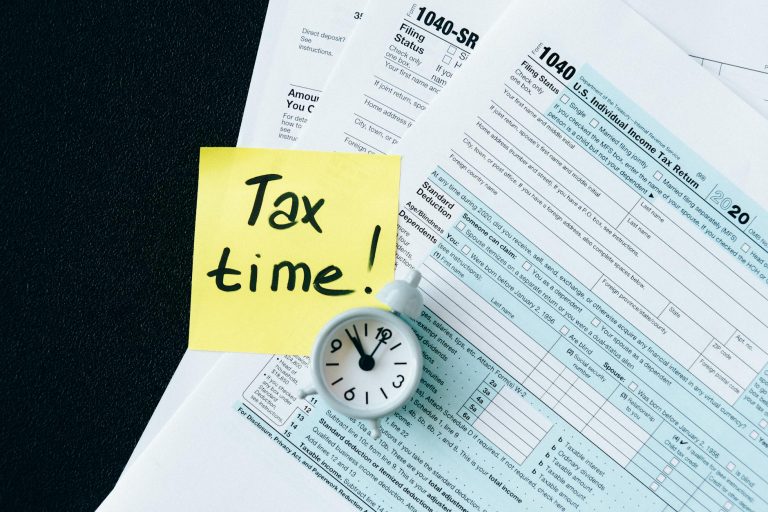
If you want to change your tax rate in the Philippines, such as switching between the graduated income tax rates and the 8% flat rate, you generally need to update your registration with the Bureau of Internal Revenue (BIR) and/or select your preferred tax option at the start of the taxable year. This process is governed by BIR rules and issuances like Revenue Regulations (RR) No. 8-2018, later clarified by various memoranda and updated under newer laws like the Ease of Paying Taxes Act (RA 11976).
In simple terms, you can change your tax rate, but timing and proper filing are very important.
- What Does “Changing Tax Rate” Mean?
- Key Rule: You Can’t Change Anytime
- Legal Basis (Why This Rule Exists)
- When Should You Change Your Tax Rate?
- Step-by-Step: How to Change Your Tax Rate
- Special Cases Where You Might Need to Update
- Important Reminders (Avoid Common Mistakes)
- What About Withholding Tax Changes?
- Final Thoughts
What Does “Changing Tax Rate” Mean?
Before diving into the process, let’s clarify what you’re actually changing. In the Philippines, individuals, especially freelancers, professionals, and sole proprietors, usually choose between:
- Graduated income tax rates (based on income brackets; itemized or OSD)
- 8% flat income tax rate (on gross income exceeding ₱250,000)
This choice affects how much tax you pay and how you file returns. To understand these options better, read our complete guide comparing graduated income tax and 8% income tax rate, with a calculator, so you can decide based on your actual sales and expenses. You can also explore the quick comparison table below.
| Feature | 8% Flat Income Tax | Graduated Income Tax Rates |
|---|---|---|
| Tax Rate | 8% of gross income (above ₱250,000) | 0% to 35% depending on income bracket |
| Basis of Tax | Gross income (no deductions) | Net taxable income (gross income minus expenses) |
| Deduct Expenses? | Not allowed | Allowed (itemized or optional standard deduction) |
| Percentage Tax (3%) | Not applicable | Applies if non-VAT |
| Accounting Complexity | Very simple | More complex |
| Record Keeping | Minimal | More detailed (expenses, receipts, etc.) |
| Best For | Freelancers with low expenses | Businesses with high expenses |
| Tax Predictability | Easy to estimate | Varies depending on deductions |
| Compliance Requirements | Fewer calculations | More computations and documentation |
| Who Can Avail | Self-employed & professionals earning ≤ ₱3M | All taxpayers |
Key Rule: You Can’t Change Anytime
This is where many people get confused. The BIR generally requires that your chosen tax rate applies for the entire taxable year. That means:
- If you choose a tax rate in the first quarter, you usually must stick with it until year-end
- You can only change it again in the next taxable year
This rule comes from BIR guidelines implementing the Tax Code and TRAIN Law reforms, and is reinforced in practice through filings like quarterly income tax returns.
Legal Basis (Why This Rule Exists)
Your ability to change tax rates is not random, it is based on official tax laws and BIR issuances. Here are the key ones:
- TRAIN Law (RA 10963) – introduced the 8% income tax option
- Revenue Regulations No. 8-2018 – explains how to avail the 8% rate
- Ease of Paying Taxes Act (RA 11976) – modernizes tax processes and compliance rules
- Various Revenue Memorandum Circulars (RMCs) – clarify implementation details (e.g., RMC 60-2024, RMC 77-2024)
These rules exist to keep tax reporting consistent and prevent people from switching rates mid-year just to minimize taxes.
When Should You Change Your Tax Rate?
Timing is critical. You typically change your tax rate:
- At the beginning of the taxable year (January)
- Before filing your first quarterly income tax return (BIR Form 1701Q)
For example, in 2025, you used the graduated income tax rates with itemized deductions. This year, you’ve decided you want a simpler way of filing, so you plan to switch to the 8% flat income tax rate.
To do this, you need to select the 8% option when you file your first quarterly income tax return (BIR Form 1701Q) for 2026. By choosing this option in your first quarter filing, you are officially informing the BIR that you will use the 8% tax rate for the entire year.
Once that first return is filed using a specific tax rate, your choice is considered final for the taxable year. This means you cannot switch to another tax rate until the next year.
Step-by-Step: How to Change Your Tax Rate
The process is not complicated, but it must be done correctly.
1. Decide Which Tax Rate You Want
Before anything else, understand your situation:
- If your expenses are high → graduated rates may be better
- If you want simplicity → 8% flat rate is easier
2. Update Your BIR Registration (if needed)
If your Certificate of Registration (COR) does not reflect your desired tax type, you may need to update it.
You can do this by filing BIR Form 1905 (Application for Registration Information Update). This tells the BIR that you want to change your tax classification or rate.
Note that this step is optional because, as mentioned above, you can change your tax type through your first quarter filing.
3. Declare Your Tax Rate Option
Even without updating your COR, you can signal your tax rate through:
- Your first quarterly income tax return (BIR Form 1701Q)
- Or a sworn declaration (if applicable)
This step is crucial, this is often what officially locks in your choice. Let’s say you’re a freelancer:
- January: You choose 8% and file your first 1701Q
- April–December: You must continue using 8%
- Next January: You can switch to graduated rates if you want
4. File Your Taxes Using the Chosen Rate
Once selected, you must consistently use that tax rate in your quarterly returns and annual income tax return (BIR Form 1701 or 1701A). Note that if you opt to shift from an 8% rate to graduated income tax, you also need to file BIR Form 2551Q or the Quarterly Percentage Tax Return. The due date is 25 days after the end of each quarter (earlier than 1701Q deadline) so it is easier to miss.
Read this comprehensive guide if you are not yet familiar with percentage tax.
Special Cases Where You Might Need to Update
There are situations where changing your tax rate also requires updating your taxpayer details:
- Switching from employed to freelancer
- Becoming VAT-registered or non-VAT
- Changing business structure
Under newer rules like the Ease of Paying Taxes Act, the BIR has simplified registration and classification processes, including grouping taxpayers based on income levels
Important Reminders (Avoid Common Mistakes)
Before you finalize your decision, keep these in mind:
- You cannot switch tax rates mid-year just to reduce taxes
- Filing your first quarterly return already locks your choice
- Late or incorrect updates may require penalties or amendments
- Always double-check your COR and filings
What About Withholding Tax Changes?
Sometimes people confuse income tax rates with withholding tax.
Recent BIR issuances, like Revenue Regulations No. 24-2025, adjust withholding tax rates (e.g., 1% for goods, 2% for services for certain taxpayers). But take note:
- These are not the same as your income tax rate
- They are just advance tax payments deducted from your income
Final Thoughts
Changing your tax rate in the Philippines is straightforward, but only if you follow the rules. The key takeaway is this:
You don’t freely change tax rates anytime. You choose it at the start of the year, inform the BIR properly, and stick with it until year-end.
If you’re unsure which option is better, it’s worth comparing both methods based on your income and expenses before making your decision.
Related Articles
BIR One-Time Tax Abatement Program: Who Qualifies and How to Apply
How to Order PSA Birth Certificate Online (CENOMAR, CENODEATH, Marriage)
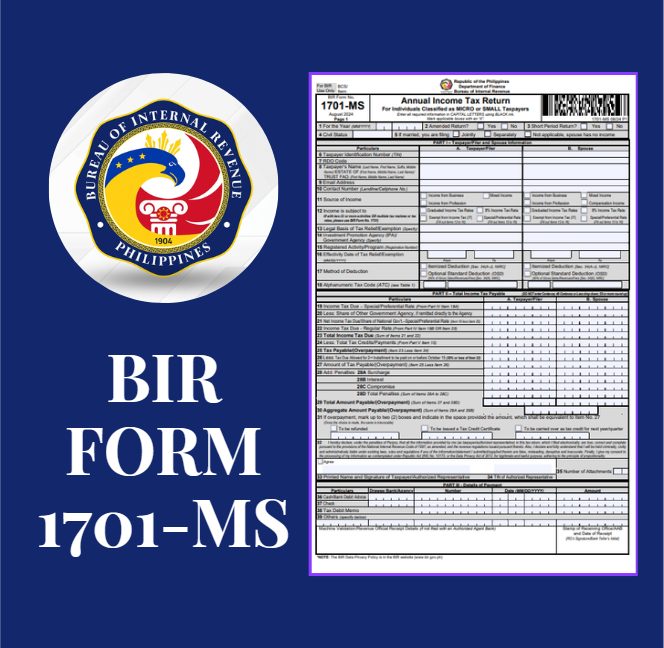
BIR Form 1701-MS: How to Fill Up and File

Understanding Business Permit and BIR Requirements for Annual Renewal

How to Use eBIRForms: A Beginner-Friendly Guide